Core Web Vitals and SEO: What Actually Moves Rankings
Core Web Vitals and SEO: What Actually Moves Rankings
Core Web Vitals are three measurements of how your pages feel to real visitors: how fast the main content shows up, how quickly the page reacts to a tap or click, and whether things jump around while loading. Google uses them as part of its page experience signals, so they matter for SEO. But they are a tiebreaker, not a magic wand. Great content on a slightly slow page can still rank. A fast page with nothing useful on it won’t.
We’re a design studio, so yes, we have opinions (and a mild obsession with layout shifts). Let’s walk through what the metrics are, how much they really count, how to read your own numbers without losing a weekend, and what to do about the common culprits. We’ll also tackle the question founders keep asking us: does going headless fix all of this? 🙂
TL;DR
- Core Web Vitals are LCP (loading), INP (responsiveness) and CLS (visual stability). “Good” means LCP of 2.5 seconds or less, INP of 200 milliseconds or less, and CLS of 0.1 or less, measured at the 75th percentile of real page loads.
- They are a real but modest ranking signal. Relevance and content quality come first, and a better experience helps most when competing pages are otherwise similar.
- Field data (real users) is what counts, not your Lighthouse score. Expect a roughly 28-day lag before fixes show up in Google’s reports.
- Most fixes start in design: image weight, font choices, reserved space for embeds, and how much script a page carries.
- Headless versus traditional CMS is a trade-off in team and workflow, not an automatic speed upgrade.
Table of Contents
- The three metrics, in plain English
- Do Core Web Vitals really affect SEO?
- Field data vs. lab data: the mistake everyone makes
- How to improve Core Web Vitals: design-first fixes
- Headless CMS vs. traditional CMS: does it fix Core Web Vitals?
- Our perspective
- A simple 30-day plan
- When you’d rather hand it off
- FAQ
- Sources
The three metrics, in plain English
Google’s documentation describes Core Web Vitals as a set of metrics that measure real-world user experience for loading performance, interactivity and visual stability. Here is each one without the jargon.
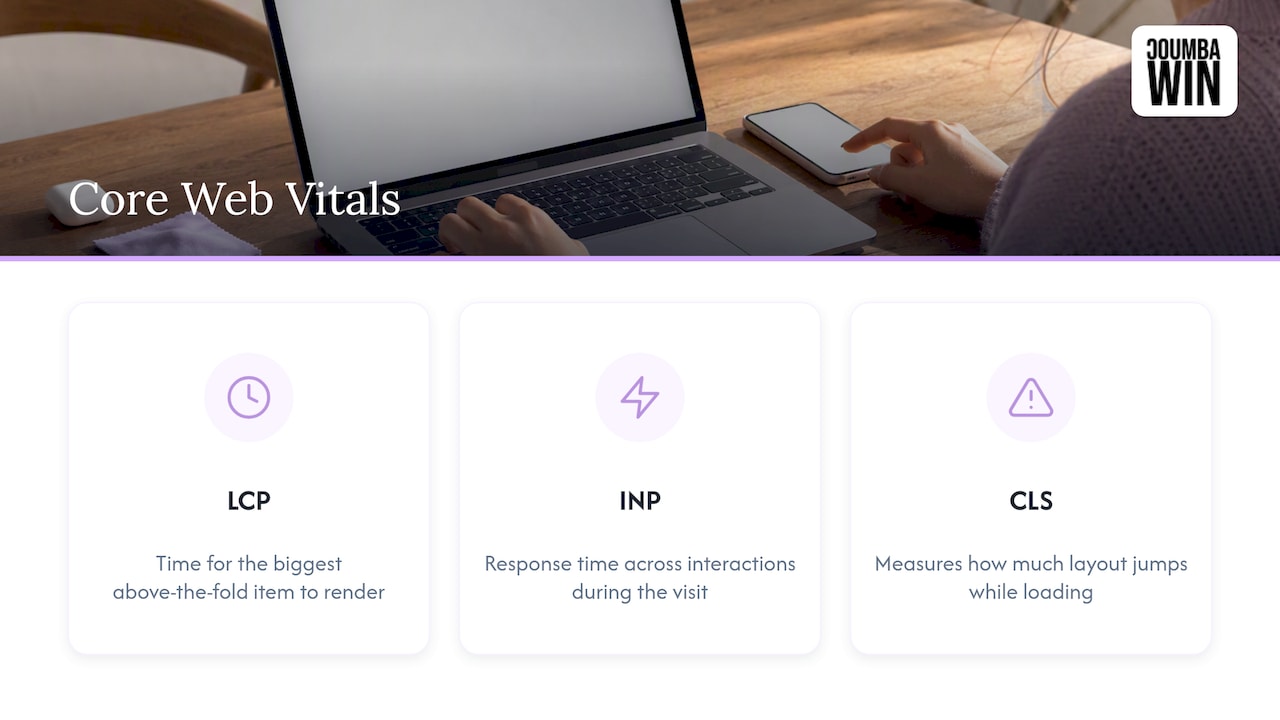
Largest Contentful Paint (LCP) is how long it takes for the biggest thing above the fold (usually a hero image or a big headline block) to render. Think of it as the moment a visitor thinks “okay, something is actually here.”
Interaction to Next Paint (INP) is how long the page takes to visibly respond after someone taps, clicks or types. It looks at interactions across the whole visit, not just the first one. INP replaced First Input Delay in March 2024, so if an older guide still talks about FID, it’s out of date.
Cumulative Layout Shift (CLS) measures how much the layout jumps around while the page loads. It’s the “I was about to tap Cancel and an ad pushed the button down” metric.
The numbers to hit
The thresholds below come from web.dev’s explanation of how the thresholds were defined.
| Metric | Good | Needs improvement | Poor |
|---|---|---|---|
| LCP | 2.5 s or less | 2.5 to 4 s | Over 4 s |
| INP | 200 ms or less | 200 to 500 ms | Over 500 ms |
| CLS | 0.1 or less | 0.1 to 0.25 | Over 0.25 |
One detail trips people up: a page counts as “good” for a metric when at least 75% of page views meet the good threshold. So you’re not trying to make the average visitor happy. You’re making the slower quarter of your visitors acceptable too, usually people on mid-range phones and patchy networks.
Do Core Web Vitals really affect SEO?
Yes, with an asterisk the size of a billboard.
Google says its core ranking systems look to reward content that provides a good page experience, and that site owners shouldn’t focus on only one or two aspects. There is no single “page experience score.” Core Web Vitals sit alongside other signals such as mobile-friendliness, HTTPS and avoiding intrusive interstitials.
In practice that means:
- Relevance wins first. Google has said a page with great content can still do well even if its page experience is mediocre.
- Experience breaks ties. When several pages answer a query about equally well, the one that loads and responds better has an edge. In competitive categories (SaaS, ecommerce, finance), those ties are common.
- Users feel it regardless. Even if the ranking effect were zero, a page that lags or jumps costs you signups. That’s why we treat these metrics as a conversion topic as much as an SEO one. We go deeper on that in our piece on website conversion rate design for startups.
If you’re deciding where Core Web Vitals fit in a broader plan, it helps to see them as one layer of a bigger picture. This overview of why Google rankings matter for visibility and ROI puts page experience next to relevance and content quality, which is the right mental model.
Field data vs. lab data: the mistake everyone makes
Here’s the trap. You run Lighthouse, get a glorious 98, high-five your developer, and then Search Console tells you the page is “Poor.” What happened?
Lighthouse is lab data: a simulated load in a controlled environment. It’s great for debugging. But Google’s reports use field data from real Chrome users, collected in the Chrome User Experience Report. As web.dev’s guide to the most effective improvements points out, real-user data is the yardstick that matters, and lab scores are a diagnostic tool.
Where to look
- Search Console’s Core Web Vitals report. It groups your URLs by status and shows real-world usage data, separately for mobile and desktop. Start here.
- PageSpeed Insights. For any single URL, it shows field data at the top (when there’s enough traffic) and lab diagnostics below. Use the lab part to find out why something is slow.
- Your own analytics. If you can segment by device and connection, you’ll often spot that the “bad 25%” is one specific phone class or one geography.
Two more things worth knowing. Mobile and desktop are evaluated separately, so passing one tells you nothing about the other. And the data is a 28-day rolling window, so when you ship a fix, expect to wait close to a month before the report fully reflects it. Don’t panic-revert on day three. (We have all done this. It’s not a good look.)
How to prioritize
Start with URL groups labeled Poor, then work through the ones with the most traffic or business value. Fixing a template that powers 400 pages beats polishing one blog post. Search Console groups similar pages for exactly this reason.
How to improve Core Web Vitals: design-first fixes
Most performance advice reads like it was written for the person holding the profiler. But a surprising share of Core Web Vitals problems are design decisions made months before a developer touched anything. Here’s where we’d look, metric by metric.
Fixing LCP (the “where’s my hero?” problem)
- Right-size the hero image. A 3 MB full-bleed photo is the classic LCP killer. Export at the dimensions you actually display, use modern formats like WebP or AVIF, and don’t lazy-load the hero (it should load first, not last).
- Rethink the hero itself. Autoplay video backgrounds and sliders look cool in a Figma frame and punish real phones. A strong headline plus one well-compressed image often wins on both speed and clarity.
- Trim the font stack. Every extra weight and style is another file to fetch. Two families with a few weights is plenty for most brands. Our guide on improving website loading speed through design covers these trade-offs in more detail.
- Check your server response. Slow hosting or heavy page generation delays everything downstream. Caching and a CDN help a lot.
Fixing INP (the “I tapped it, why nothing?” problem)
- Ship less JavaScript. Chat widgets, heatmaps, A/B testing scripts, five analytics tags: each one competes for the main thread. Audit them and remove what nobody checks.
- Simplify interactive components. Mega-menus, complex filters and animated accordions are common INP offenders. Design them to do less per tap.
- Give instant feedback. A button that shows a pressed state right away feels responsive even when the work behind it takes a moment.
Fixing CLS (the “everything jumped” problem)
- Reserve space. Set width and height (or aspect ratio) on images and video so the browser knows how much room to hold before they load.
- Be careful with embeds and banners. Cookie bars, promo strips and ad slots that push content down after load are prime suspects. Design them in a fixed spot or reserve their height.
- Watch web fonts. A late font swap can reflow whole paragraphs. Pick fallback fonts with similar metrics, and keep the number of custom fonts low.
The research behind the thresholds is a nice reminder that this is about people, not scores. According to web.dev, the 0.1 CLS line exists because shifts above roughly 0.15 were consistently perceived as disruptive. Your visitors notice before any tool does.
Don’t forget mobile
Because mobile is scored separately, and mobile networks and chips are the usual bottleneck, test there first. Touch targets, thumb-friendly navigation and lean mobile layouts all feed into these numbers. Our mobile UX design best practices for startups walks through the design side.
Headless CMS vs. traditional CMS: does it fix Core Web Vitals?
This is the question we hear most from founders who’ve just had a scary report. The pitch for headless is appealing: content lives in one system, a separate front end (often built on a modern framework and served from a CDN) displays it, and pages can be pre-built and delivered fast.
Here’s the honest version.
| Traditional CMS (for example, a WordPress site with a theme) | Headless CMS | |
|---|---|---|
| How it works | Content and front end live together | Content is delivered by API to a separate front end |
| Speed potential | Good when kept lean; can slow down with heavy themes and many plugins | High, because the front end is built from scratch and can ship minimal code |
| Editing experience | Familiar, with visual previews out of the box | Varies; previews often need extra setup |
| Team needs | A designer and a good theme can go far | Usually needs ongoing developer involvement |
| Risk | Plugin bloat, script creep | Over-engineering, higher build and maintenance cost |
A few things we’d tell a friend:
- Architecture doesn’t guarantee a pass. A headless site with a 4 MB hero image and eight third-party scripts will still fail LCP and INP. A tidy traditional site with disciplined design can pass comfortably.
- Be skeptical of tidy statistics. Many comparisons online come from vendors who sell one side of the debate. Treat sweeping pass-rate claims as marketing until you see the method.
- Ask who will edit the site. If your marketing lead publishes five times a week and has no developer on call, a setup that needs engineering for every layout change will slow you down more than any millisecond saves.
- Is headless worth it? It can be, when you publish to several channels, need a very custom front end, or have a team that can maintain it. For a typical early-stage marketing site, a well-built visual development platform or a lean traditional setup is often the smarter first move, with room to evolve later.
The common thread: performance is mostly decided by what you put on the page and how it’s built, not by the label on the CMS.
Our perspective
We’re a bit allergic to the idea that speed is purely an engineering chore. When we sit down with founders, the biggest wins nearly always come from conversations that happen before a single line of code: What does this hero need to do? Do we need this animation, or do we just like it? Which three fonts can we live without?
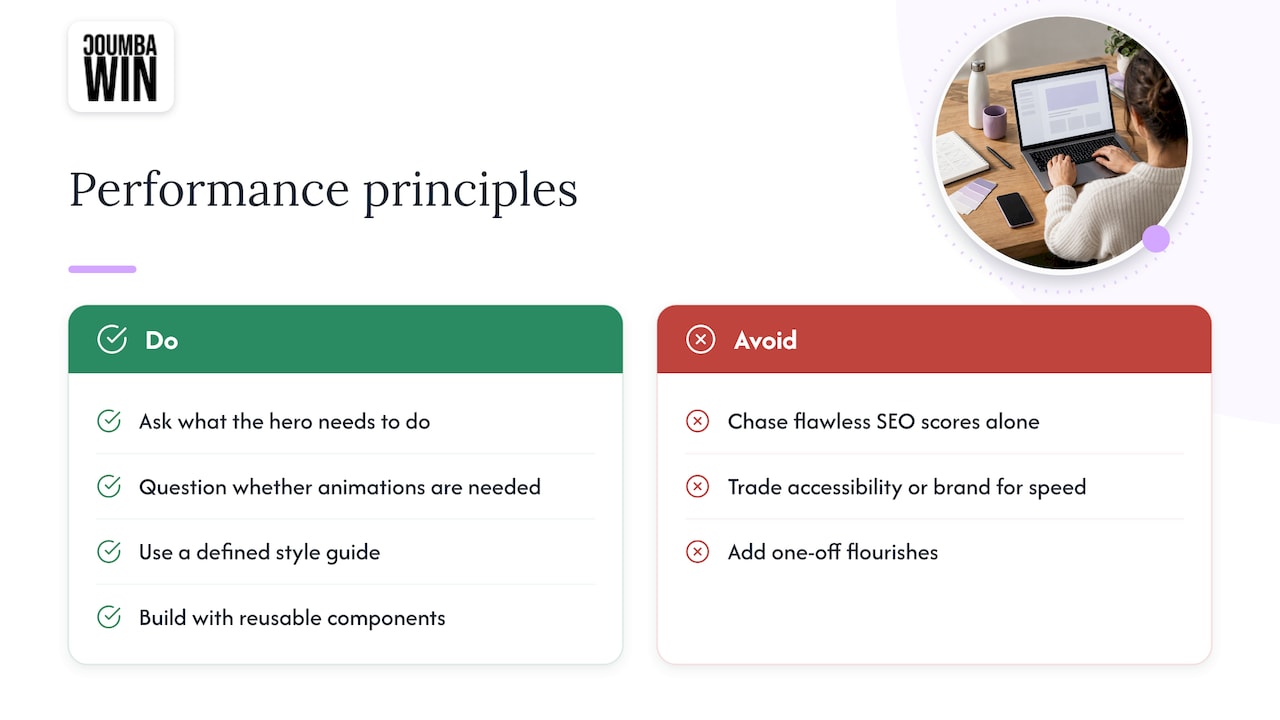
We also push back on perfectionism. Search Central itself says not to chase flawless scores for SEO alone, and we agree. Getting every page into the green is a great goal. Sacrificing clear messaging, brand personality or accessibility to shave 80 milliseconds is not. The sweet spot is a site that is bold, distinctive and fast, and that’s a design problem as much as a technical one.
And because we reject generic templates, we’ve learned that performance is easier to protect when a site is built around a defined style guide and reusable components. Fewer one-off flourishes means fewer surprises in your field data. If you’re curious how we structure that, our style guide and components pages show the approach.
— Coumba Evelyn
A simple 30-day plan
Want something you can actually act on? Here’s a rhythm that respects the 28-day window.
- Week 1: Diagnose. Open the Core Web Vitals report in Search Console. Note which metric fails on mobile and which URL groups are Poor. Run the worst template through PageSpeed Insights to find the specific cause.
- Week 2: Fix the biggest one. Pick a single issue (usually hero image weight, script bloat, or an unreserved embed) and fix it on the template, not page by page.
- Weeks 3 and 4: Wait and watch. Resist tinkering. Check lab results to confirm the change worked technically, then let field data catch up.
- Day 30 or so: Re-check and repeat. If the group has moved to Good, pick the next issue. If not, you now have clean evidence of what didn’t work.
It isn’t glamorous, but it works, and it keeps you from changing six things at once and learning nothing.
Core Web Vitals also overlap with the rest of technical SEO: crawlability, structure and clean indexing. If you’re sorting out the whole stack, our technical SEO basics and SEO-friendly web design guides are good companions.
When you’d rather hand it off
If your report is full of red and your team is busy shipping product, we can help. Coumba Win designs and builds startup websites with speed, accessibility and search in mind, from UI and UX to Webflow development and SEO optimization. You can see what we offer on our main site or browse our Webflow development work. We don’t publish prices, so the quickest way to get a number is to tell us what you’re dealing with.
FAQ
Are Core Web Vitals a ranking factor?
Yes, they are part of Google’s page experience signals, which its ranking systems take into account. They are not the main factor, though. Relevance and content quality come first, and good scores help most when competing pages are similar in quality.
What is a good Core Web Vitals score?
There is no single score. You need LCP of 2.5 seconds or less, INP of 200 milliseconds or less, and CLS of 0.1 or less for at least 75% of page views. Each metric is assessed on its own, and mobile and desktop are reported separately.
How long until fixes show up in Search Console?
Plan on about four weeks. The report uses a 28-day rolling window of real-user data, so improvements appear gradually as old, slower visits drop out of the window.
Why is my Lighthouse score green but Search Console says Poor?
Lighthouse simulates one load in controlled conditions, while Search Console reports what real visitors experienced on their own devices and networks. Google’s ranking systems rely on the real-user data, so use Lighthouse to find causes and field data to judge results.
Do I need a headless CMS to pass Core Web Vitals?
No. Plenty of traditional and visual platforms pass when images, fonts and scripts are kept under control, and headless sites can fail when they aren’t. Choose based on your team, publishing needs and budget, not on speed claims alone.
Sources
- Understanding Core Web Vitals and Google search results
- Understanding Google Page Experience
- How the Core Web Vitals metrics thresholds were defined
- The most effective ways to improve Core Web Vitals
- Core Web Vitals report, Search Console Help
- INP. Get ready for the new Core Web Vital
#CoreWebVitals #TechnicalSEO #StartupDesign