Education Platform UX: What Good Design Looks Like
Education Platform UX: What Good Design Looks Like
Good education platform UX means a learner can find what to study, start it fast, see how they’re doing, and never wonder where the due date went. The interface should disappear so the learning can take over. That sounds simple. It is also where most edtech products quietly lose people.
We design for startups, and education founders are some of our favorite humans to work with (they care a lot, and they usually have a spreadsheet of 47 feature requests). So here’s the version of this topic we’d hand a founder over coffee: what the research says, which journeys to nail first, how to handle accessibility, and how to test whether any of it worked.
TL;DR
- Design for learning, not just usability: every screen should help a learner find, start, practice or finish something.
- Make seven journeys effortless first: discovery, time estimates, enrollment, instant start, progress tracking, grades and credentials.
- Accessibility is a legal and practical baseline in the U.S., not a polish pass. Captions, transcripts, contrast and speed controls go in from day one.
- Consistency beats cleverness. Predictable navigation gives learners their time back.
- Test with real learners on real tasks, and measure usability separately from learning.
Table of Contents
- What good UX looks like on a learning platform
- Consistency is a learning feature
- The learner journeys to get right first
- Build learning science into the interface
- Accessibility is the baseline, not the bonus round
- How to tell if your UX is working
- Our perspective: design is the growth strategy
- Working with us on your learning product
- FAQ
- Sources
What good UX looks like on a learning platform
Retail UX is about getting someone to buy. Learning UX has a stranger job: it has to get out of the way while still supporting memory, motivation and confidence. ISTE’s 2025 edtech usability guide describes strong products as user-centered, discoverable, interoperable, learning-oriented, inclusive and accessible. That list is a handy checklist for a first design review.
A few things follow from it.
Clear access to the important stuff. Learners (and the teachers and administrators around them) should reach key functions without hunting. Search and filters matter once your catalog grows past a screenful.
Structure that treats logistics as design. Utah State University’s online design standards call for intuitive, consistent modules, understandable navigation and readily available due dates, and treat the course introduction, schedules, assessments and student-success information as requirements, not extras. If a learner has to message support to learn when the quiz closes, the design has failed, no matter how pretty the dashboard looks.
Research before pixels. ISTE advises teams to study users’ real-world context and workflows before designing, including how teachers and school leaders manage information. Your learner is rarely your only user. The instructor grading at 11 p.m. and the administrator exporting reports are users too, and they will make or break adoption.
If you want the broader foundation first, our practical guide to what user experience design is covers the basics.
Consistency is a learning feature
Here’s a small example with big implications. Georgia State University validated course-design patterns with students and built a design guide for its Online BBA program based on observed behavior, with the aim of reducing the time students spend searching for materials so they can spend it studying.
Translate that to a product team:
- Put the same things in the same places across every course or module.
- Use one naming system for assignments, quizzes and resources, and stick to it.
- Don’t redesign the navigation every quarter because a new designer joined.
Navigation is where this lives or dies, and we’ve written about why navigation structure affects UX in more depth. The short version: every extra decision you ask a learner to make about where to go is a decision they can’t spend on what to learn.
The learner journeys to get right first
If you only have budget to polish a handful of flows, pick these. They map closely to what Open edX’s learning-pathways requirements describe: unified search, a single place to see enrolled pathways and standalone courses, and a catalog where learners can understand objectives, estimated time, sequence and completion criteria before they enroll.
| Journey | What the learner is asking | What the design should do |
|---|---|---|
| Discovery | “What’s here, and is it for me?” | Unified search, useful filters, clear course and pathway cards |
| Expectation setting | “What will I learn, and how long will it take?” | Show objectives, estimated time, sequence and completion criteria up front |
| Enrollment | “Can I get in without a headache?” | Few steps, no surprise requirements, clear confirmation |
| First start | “Where do I begin?” | One obvious next action right after enrolling |
| Ongoing tracking | “Where am I, and what’s next?” | One place for all active courses and pathways, with visible progress |
| Grades and feedback | “How am I doing?” | Progress and grades that carry across courses without resetting |
| Credential | “Did I get something for this?” | Easy receipt, download and sharing of the credential |
Notice how much of this is about time to first lesson. A learner who enrolls and then lands on an empty page with a welcome banner has just been handed a reason to close the tab.
Course discovery deserves its own design pass
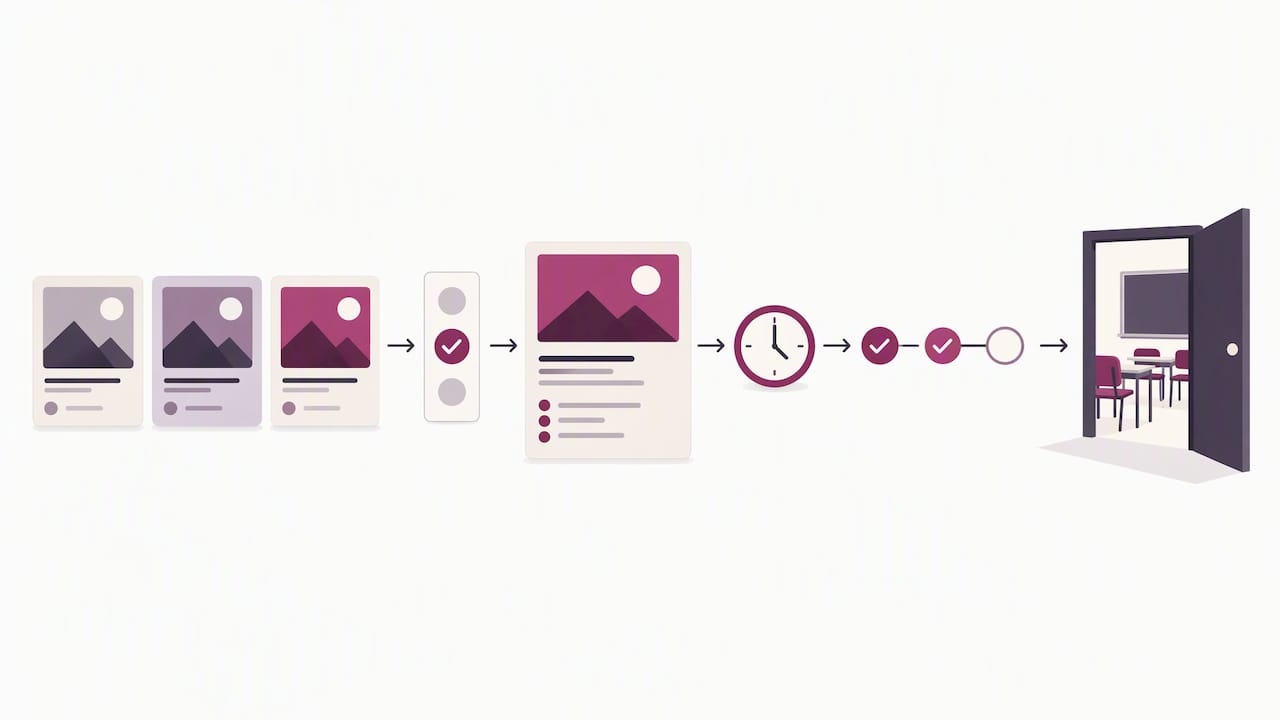
The catalog is your storefront, and it has to do two jobs: attract and set honest expectations. Good enrollment pages state what the learner will be able to do, how long it takes and what the steps are, which is the same logic behind enrollment journeys that run from first click to classroom seat. Where the marketing site hands off to the product, keep the language and the promises identical. A learner who read “self-paced, two hours a week” should see exactly that inside.
Mobile is not optional
Plenty of learners study on phones between shifts, on buses and in parking lots. Tap targets, readable type, and video that behaves on a weak connection all belong in the first design round. Our notes on mobile UX best practices for startups apply directly.
Build learning science into the interface
This is the part that separates education UX from generic app design. A product can be perfectly usable and still teach badly.
ISTE’s guidance recommends aligning features with learning science, using multiple media without distraction, and regularly asking learners to retrieve and reflect. Quizzes are named as one way to support retrieval. Here’s how that turns into concrete design decisions:
- Retrieval built in. Short, low-stakes check-ins after a lesson, not just a big exam at the end.
- Reflection prompts. A single “what was the hardest part?” box can do more than another progress badge.
- Connections to prior knowledge. Surface what the learner did last week at the moment it becomes relevant.
- Feedback that helps. ISTE describes good feedback as specific, constructive and actionable. “Incorrect” is not feedback. “You mixed up the numerator and denominator; try this example” is.
- Media with a purpose. Video, audio, diagrams and text each earn their place. If an animation doesn’t help someone understand, it’s decoration, and decoration competes for attention.
On engagement, Ohio State’s UXDL framework suggests visual clarity, logical layouts, reflective activities, immersive experiences and humanizing learning through connection and support. Notice what’s missing: streaks that guilt-trip, confetti for opening the app, notification storms. Engagement that doesn’t tie back to learning is just friction in a party hat. (If you’re thinking about animation, our piece on motion design and brand engagement covers when movement helps.)
Video, captions and the distraction problem
Video is the workhorse of online learning, and also its most common accessibility gap. Captions and transcripts are a design requirement, and building them into your production process is far cheaper than retrofitting later. A solid auto-captioning workflow for video gets you a first pass quickly, but a human should still review captions for names, jargon and accuracy, because your subject terms are exactly what automatic tools mangle.
Accessibility is the baseline, not the bonus round
In the U.S., this is not just good manners. The 2021 digital learning playbook indexed in ERIC states that learners are legally entitled to accessible courses and materials under Section 504 of the Rehabilitation Act and the Americans with Disabilities Act, as applicable to educational technology and course design. It recommends Universal Design for Learning plus the basics: descriptive links, audio and video transcripts, captions, alternative text for meaningful images and accessible PDFs.
ISTE adds closed captions, playback-speed controls, high contrast and Universal Design for Learning as considerations for multimedia products.
If your customers are public schools or colleges, the regulatory picture is moving too. The Department of Justice’s Title II rule requires state and local governments to meet WCAG 2.1 Level AA for web content and mobile apps, and the compliance dates were extended to April 26, 2027 for entities serving 50,000 or more people, and April 26, 2028 for smaller ones. Public institutions buying your product will start asking about WCAG conformance in procurement, so “we’ll get to it” is a risky answer. Check the official page for the latest status, and talk to counsel about your own obligations.
A practical accessibility starter kit for a learning platform:
- Run an accessibility audit on your core flows (sign-up, catalog, lesson player, quiz, gradebook) before launch, not after your first big district deal.
- Make every video captioned and every audio file transcribed.
- Give learners playback-speed controls.
- Check color contrast, and don’t use color alone to show status.
- Make sure every function works by keyboard.
- Write link text that makes sense out of context.
- Export documents as accessible PDFs, or better, as real web pages.
Accessible design also tends to help discoverability, a point made in this look at web accessibility and its SEO impact. For more on the design side, read our guide to the role of accessibility in UX, and for learners from different backgrounds, how to design inclusive digital experiences. Language is part of that too: plain, inclusive wording is a real interface.
How to tell if your UX is working
Shipping a redesign and hoping is a classic move. Don’t. Here’s a lightweight evaluation approach for an early-stage team.
Start with an audit
A 2021 Smashing Magazine case study on auditing a major edtech platform used two stages: surveying users about their needs, then evaluating the home page, profile and search page against Nielsen’s 10 usability heuristics. You can copy that structure in a week. Pick your three highest-traffic screens, list the heuristic violations, and rank them by how many learners they affect.
Then watch real people
Observe representative learners attempting real tasks: find a course, enroll, start lesson one, locate your grade, download a certificate. Don’t explain anything. Write down where they stall. Five or six sessions will surface your loudest problems.
For scale, Baymard’s online-learning research shows how deep rigorous testing can go: 25 rounds of qualitative usability testing, benchmarking of seven learning sites against more than 350 guidelines, and 12 quantitative studies with 20,240 participants. You don’t need that budget. You do need the habit.
Measure usability and learning separately
This one trips teams up. A learner can complete a task smoothly and learn nothing, or struggle with the interface and learn plenty. Track both:
- Usability: task success, errors, time on task, stalls, and satisfaction ratings.
- Learning: quiz performance, retention over time, completion of pathways.
- Look past averages. An average usability score can hide a segment, such as screen-reader users or phone-only learners, for whom the product is broken.
Our perspective: design is the growth strategy
We’ll be honest about how we see this. Education startups tend to treat UX as a coat of paint that goes on after the learning engine is built. We think that’s backwards. For an edtech company, the interface is the product experience, and it’s where learners decide in the first ten minutes whether to come back.
What we push founders toward:
- Pick the journey that matters most and make it excellent. Usually that’s “enroll to first lesson completed.”
- Skip the generic template. Learning products have specific needs (progress, pathways, assessments) that off-the-shelf layouts rarely handle well, and AI-generated screens tend to copy patterns without understanding why they exist.
- Bring us the weird constraints. A teacher who only has fifteen minutes between classes, a learner on a shared laptop: those details shape better design than any trend report.
- Design the brand and the product together. Your pitch deck, marketing site and platform should feel like one company, because investors, schools and learners will meet all three.
Our work includes improving the user experience of educational platforms, and the thing we keep relearning is that clarity wins. Cut a step, clear up a label, move a due date to where eyes already are. Boring? Maybe. Effective? Every time.
— Coumba Evelyn
Working with us on your learning product
If you’re building or rebuilding an education platform, we can help with the pieces this article covers: UX and UI design, accessibility audits, and website design and development, including Webflow builds for your marketing site. See everything we offer on the Coumba Win site, or browse our Webflow development work to see how we build. We work closely with founders, and we don’t do cookie-cutter.
FAQ
What is the most important part of education platform UX?
The path from discovery to the first completed lesson. If learners can find a course, understand what it asks of them, enroll and start quickly, you’ve cleared the biggest drop-off risk. After that, progress tracking and clear due dates keep them coming back.
How is online learning UX different from regular app UX?
The goal isn’t speed alone. A learning product has to support retrieval, reflection and feedback, and it has to serve several user types at once, such as learners, teachers and administrators. Usability and learning outcomes also need to be measured separately, since a smooth interface doesn’t guarantee anyone learned anything.
Do U.S. education platforms need to be accessible?
Yes, in practice. The 2021 digital learning playbook states that learners are legally entitled to accessible courses and materials under Section 504 and the ADA. Public institutions are also working toward the DOJ’s WCAG 2.1 Level AA rule for web content and apps, so buyers will ask. Talk to a lawyer about your specific obligations.
How can a small team test education UX on a budget?
Run a heuristic audit of your top three screens, then watch five or six real learners complete core tasks without help. Record where they stall and fix the biggest problems first. Repeat after each release, and track task success, errors and time alongside your learning metrics.
Sources
- ISTE Edtech Usability Guide (2025)
- Optimizing High-Quality Digital Learning Experiences (ERIC, 2021)
- Utah State University Online Design Standards
- Georgia State University: Less Searching, More Studying
- Open edX Learning Pathways Product Requirements
- Ohio State UXDL Framework
- Baymard Institute: Online Learning UX Research
- Smashing Magazine: How To Run A UX Audit For A Major EdTech Platform
- ADA.gov: Fact Sheet on the Title II Web Rule