Startup SEO Audit: A Founder's Checklist That Fits in an Afternoon
Startup SEO Audit: A Founder’s Checklist That Fits in an Afternoon
A startup SEO audit is a short, honest check of one question: is anything structurally stopping your site from being found on Google? You don’t need a 200-point spreadsheet or an enterprise platform to answer it. You need an afternoon, Google Search Console, a crawler, and a willingness to look at your own site the way a search engine does (which, fair warning, can be humbling 😅).
We design and build startup websites, so we’ve seen the same handful of problems show up again and again. This guide walks through them in the order we’d check them, with what “good” looks like and what to fix first.
TL;DR
- Audit for blockers first: a stray noindex tag, a robots.txt that locks Google out, or a JavaScript shell with nothing for crawlers to read.
- Use free tools. Search Console is your source of truth, and a crawler or Lighthouse finds the quick wins.
- Hit the Core Web Vitals thresholds: LCP of 2.5 seconds or less, INP of 200 milliseconds or less, CLS of 0.1 or less.
- Treat SEO as ongoing. Every redesign or launch can break something, so re-check after each big change.
- Skip the giant checklist. Fix what blocks indexing, then structure, then content.
Table of Contents
- What a startup audit is (and isn’t)
- The layered approach: crawl, structure, Search Console
- Step 1: Make sure Google can see you at all
- Step 2: Core Web Vitals and page speed
- Step 3: Architecture and internal links
- Step 4: On-page basics
- Step 5: Basic trust signals
- Step 6: Pick fights you can win
- How to score your audit: a simple triage
- What to do about SEO being a moving target
- Our perspective: why we audit design and SEO together
- When it’s time to call in a design partner
- FAQ
- Sources
What a startup audit is (and isn’t)
Enterprise audits look at thousands of pages, years of backlinks and layers of legacy redirects. Yours doesn’t. A young site has a few dozen pages, little authority and plenty of room to move. So the audit is narrower: can search engines reach, read and understand what you’ve built?
It’s also not a magic ranking button. Google’s own SEO starter guide frames SEO as helping users and search engines understand your content, not tricking anyone. An audit finds what’s in the way. It doesn’t write the content that earns the ranking.
The good news for a founder with no SEO hire: that same guide makes clear the basics, like title tags, meta descriptions and making sure your site is actually indexed, are well within reach using free tools and common sense.

The layered approach: crawl, structure, Search Console
We like to audit in three passes, cheapest first.
- Run an automated crawl. Lighthouse, built into Chrome, has had an SEO audit category since 2018. It catches missing titles, missing meta descriptions, non-crawlable links and similar quick wins. A desktop crawler does the same across your whole site.
- Look at site architecture. Does your structure match how a customer actually moves from “what is this?” to “take my money”? We go deeper on that in our post on design-first site architecture for SEO.
- Use Search Console as the referee. Crawlers guess. Search Console tells you what Google actually indexed and why it skipped the rest.
Resist the urge to buy a big SEO suite on day one. Until your structure is solid and you have enough content to analyze, you’d be paying for dashboards full of zeros.
Step 1: Make sure Google can see you at all
This is the unglamorous part, and it catches more startups than any clever keyword mistake.
Check for noindex
Staging sites are usually set to noindex so they stay out of search results. Then launch day arrives, everyone’s celebrating, and nobody flips the switch. The site sits invisible for weeks. Check the page source for a robots meta tag and the HTTP response headers for an X-Robots-Tag on your key pages, and do it the day you launch, not the day you wonder where the traffic is.
Check robots.txt
Open yourdomain.com/robots.txt. Google’s robots.txt documentation explains that the file controls which URLs crawlers may access, mainly to manage crawl load. It is not a way to hide a page from Google, so don’t use it for that. Look for a blanket disallow left over from development, and confirm you’re not blocking the CSS and JavaScript files Google needs to render your pages the way a visitor sees them.
Confirm indexing in Search Console
Verify your property, then open the Page indexing report. Google’s help page for that report notes that for a small site you can simply search for your key pages on Google to see whether they appear. For anything missing, the report tells you the reason. Some “not indexed” URLs are perfectly fine (a thank-you page, a duplicate with a canonical). Your money pages are not.
A quick sanity test: search site:yourdomain.com. If your homepage doesn’t show up, stop reading and fix that first.
Watch out for single-page apps
If your product site is built as a single-page application that renders everything in the browser, a crawler may land on an empty shell. Server-side rendering or pre-rendering fixes that. This is also one reason we like building marketing sites in tools that output clean, crawlable HTML, as in our Webflow development work.
Step 2: Core Web Vitals and page speed
Speed is both a ranking input and a conversion input. Google’s Web Vitals guidance defines a “good” experience as meeting all three metrics at the 75th percentile of page loads:
| Metric | What it measures | Good | Poor |
|---|---|---|---|
| Largest Contentful Paint (LCP) | How fast the main content loads | 2.5 s or less | Over 4 s |
| Interaction to Next Paint (INP) | How quickly the page responds to taps and clicks | 200 ms or less | Over 500 ms |
| Cumulative Layout Shift (CLS) | How much the layout jumps around | 0.1 or less | Over 0.25 |
Check these in the Core Web Vitals report in Search Console (real-user data) and in Lighthouse (lab data). They can disagree, and that’s normal. Real-user numbers win.
Most startup speed problems are design problems in disguise: a 4 MB hero video, five web fonts, an auto-playing animation. We wrote up the fixes in how to improve website loading speed through design. If you want a tighter look at what a sub-two-second LCP takes in practice, this piece on landing page speed and LCP is a handy reference, and it’s written for mobile-heavy traffic, which is most of yours.
Step 3: Architecture and internal links
This is where design and SEO shake hands. Ask yourself:
- Can a visitor reach every important page within three clicks of the homepage?
- Does each page have one clear job and one clear primary search topic?
- Are your navigation labels words people would actually type, not clever brand-speak?
- Do related pages link to each other with descriptive anchor text?
Founders love a creative nav. Google loves a boring one. (We know, we know. Both can be true if you’re careful.) Crawlable links matter in particular: if your menu items are JavaScript click handlers rather than real links, crawlers may never discover the pages behind them.
If you’re planning a redesign or moving platforms, read our checklist for a first SEO site migration before you touch a single URL. Redirects forgotten at launch are the most expensive typo in startup marketing.
Step 4: On-page basics
You don’t need to rewrite your site. You need to make sure each page that matters passes these quick checks:
- Unique title tag that names the page’s topic in plain words.
- Meta description that gives a human a reason to click.
- One H1 that matches what the page is about.
- Descriptive image alt text, which also helps accessibility.
- A clear next step, because traffic that doesn’t convert is just a vanity metric.
That last one is where SEO and design overlap again. Our post on improving website conversion rate design for startups covers it.
Step 5: Basic trust signals
You’re not going to out-link a ten-year-old competitor this quarter, so don’t try. What you can do is make your site look like a real, accountable business: an about page with real names, contact details, a privacy policy, consistent brand naming across pages and profiles, and clear descriptions of what you sell and who it’s for.
This matters for the AI-assistant side of search too. You’ll see plenty of anxiety about whether chatbots mention your brand. The sensible response is boring: make your site clearly identify who you are, and publish genuinely useful answers to the questions your customers ask. Those assistants lean on authoritative, clearly written sources.
Step 6: Pick fights you can win
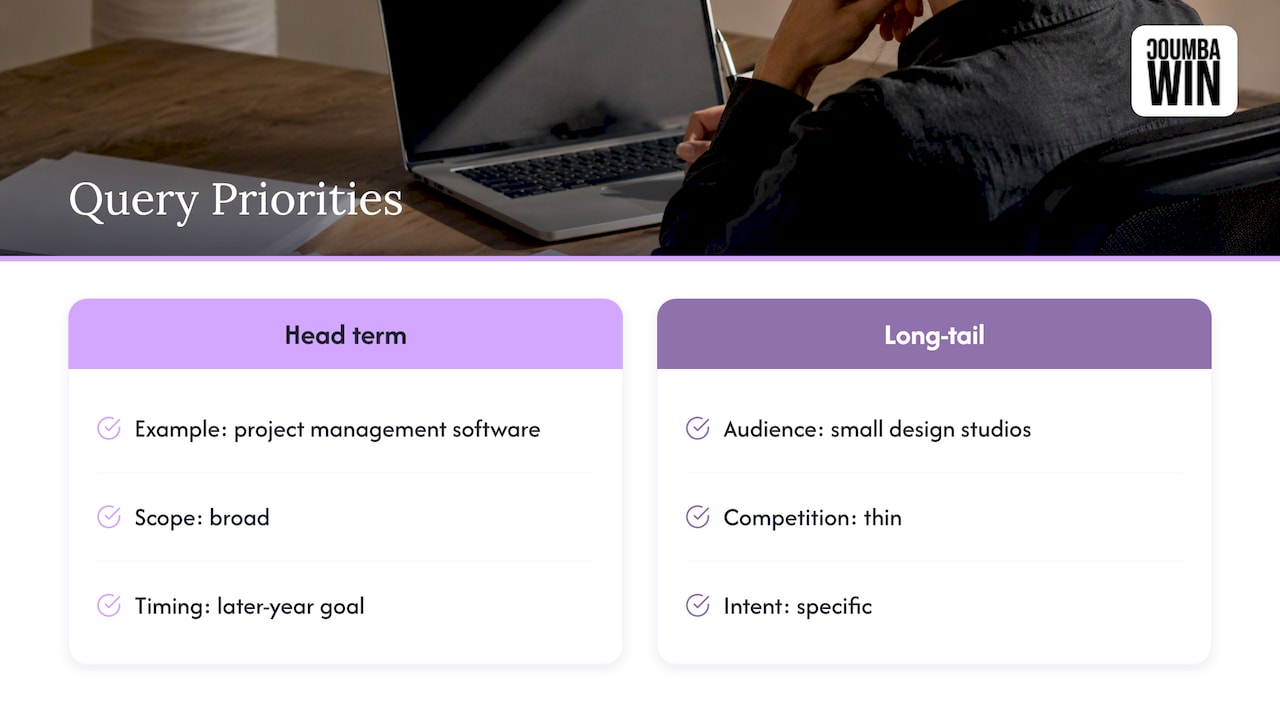
An audit should end with priorities, not guilt. If your site is new, head terms like “project management software” are a later-year goal. Early on, target long-tail queries where competition is thin and intent is specific, such as “project management for small design studios.” A tiny page that answers one precise question well beats a giant page that vaguely covers everything.
If your domain is brand new, our 90-day launch plan for new-domain SEO lays out what to do and in what order.
How to score your audit: a simple triage
Forget the 100-point score. Sort every finding into one of three buckets.
| Bucket | Examples | When to fix |
|---|---|---|
| Blockers | Noindex on live pages, robots.txt disallow, empty rendered HTML, broken canonicals | Today |
| Foundations | Failing Core Web Vitals, thin navigation, missing titles and descriptions, broken internal links | This month |
| Nice-to-haves | Schema extras, image tweaks, minor duplicate content | When the first two are clean |
If you want a second reference for a longer sequence of checks once the basics are green, this website audit checklist walks through a broader process.
What to do about SEO being a moving target
Here’s the misconception we hear most: “We did SEO at launch, so we’re done.” Not quite. Google’s own office-hours guidance makes the point that site changes can introduce new problems, and checking in through Search Console is how you spot them early. A redesign, a new product page, a CMS update or a plugin can each create crawl errors, broken links or speed regressions.
A rhythm that works for most early teams:
- Monthly: glance at Search Console for indexing errors and Core Web Vitals changes.
- After every launch or redesign: re-run your crawl and re-check noindex and robots.txt.
- Quarterly: revisit the triage table and your target queries.
You can read the thinking behind this in Google’s office hours recap.
Our perspective: why we audit design and SEO together
We don’t think of SEO as a separate department you bolt on after launch. Most of the issues above, like heavy pages, confusing navigation, content hidden behind interactions and layouts that shift while loading, are born in the design file. By the time they show up in an audit, you’re paying to undo decisions that cost nothing to make correctly.
That’s why we work with founders who treat design as a competitive advantage. We build custom sites rather than leaning on generic templates or AI-generated layouts, because a site that looks like everyone else’s tends to read like everyone else’s too, to humans and to crawlers. When we design a startup site we think about structure, speed and accessibility from the first wireframe, so the audit afterward is a quick confirmation rather than a rescue mission.
Our honest advice: run the free checks in this article yourself. If everything in the “Blockers” bucket is clear, you’re ahead of a surprising number of young companies. Bring in help when the findings point to structural design or build problems, since that’s where DIY fixes get expensive.
— Coumba Evelyn
When it’s time to call in a design partner
Some findings are a ten-minute fix. Others mean rethinking page templates, rebuilding navigation or moving off a framework that won’t render for crawlers. That’s design and development work, and it’s what we do for startups: web design and development, UI and UX design, Webflow builds, SEO optimization and accessibility audits. If your audit turned up more than you want to tackle between investor calls, tell us what you found and we’ll work out the smartest order of fixes with you.
FAQ
How much does a startup SEO audit cost?
A DIY audit costs nothing but time, because Search Console and Lighthouse are free. Agency pricing varies widely, and we don’t publish set prices for our SEO optimization work, so reach out with your site and goals for a scoped conversation.
How often should a startup run an SEO audit?
Do a full pass at launch, then a light monthly check in Search Console. Repeat the crawl whenever you redesign, migrate or launch a major section, since those changes are when new errors tend to appear.
Can ChatGPT do an SEO audit?
An AI assistant can help you interpret findings or draft title tags, but it can’t see how Google indexed your site. Search Console and a real crawl give you ground-truth data. Use AI as a helper, not as the auditor.
Do I need paid SEO tools for a startup?
Not at first. Search Console, Lighthouse and a crawler cover the essentials. Consider a paid platform once your structure is solid and you have enough content that tracking rankings and competitors adds real value.
What should I fix first after an audit?
Anything that stops Google from indexing or rendering your pages: noindex tags, robots.txt blocks and empty client-side-rendered HTML. Speed and structure come next, and polish comes last.
Sources
- Web Vitals, web.dev
- SEO Starter Guide, Google Search Central
- Robots.txt introduction and guide, Google Search Central
- Page indexing report, Search Console Help
- SEO audit category in Lighthouse, Google Search Central Blog
- November office hours, Google Search Central Blog
#StartupSEO #FounderLife #WebDesign