Build Trust Through Website Design: A Startup Guide

Build Trust Through Website Design: A Startup Guide
Building trust through website design is the practice of using visual clarity, consistency, transparency, and user-friendly features to create a credible online presence that drives real engagement. Your website is often the first handshake a potential customer gets with your brand. Mess it up and they’re gone in seconds. Get it right and you’ve got a shot at turning a curious visitor into a paying customer. Trust is shaped before visitors ever take action, which means your design does the heavy lifting long before your sales pitch kicks in. Coumba Win Design works with startups every day on exactly this challenge.
What are the key website design trust factors every small business should focus on?
The foundation of website credibility rests on a handful of non-negotiable design decisions. Get these right and visitors feel safe. Skip them and you’re basically asking people to hand over their credit card in a sketchy parking lot.
Here are the core website design trust factors every startup should nail:
-
Professional visual identity. Consistent fonts, colors, and high-quality images signal that you take your business seriously. Blurry stock photos and clashing color palettes scream “we threw this together last Tuesday.”
-
Clear navigation. Visitors should find what they need in three clicks or fewer. Confusing menus create friction, and friction kills confidence.
-
Mobile responsiveness. Poor mobile UX leads to frustration and higher bounce rates, damaging trust quickly. Most of your visitors are on their phones right now.
-
Security indicators. SSL badges and secure payment gateways near checkouts increase visitor confidence. People will not submit personal information on a site that shows a “Not Secure” warning.
-
Honest messaging. Vague phrases like “world-class solutions” and “industry-leading results” mean nothing. Specific, plain language builds perceived competence far better than marketing fluff.
Pro Tip: Run your homepage through Google PageSpeed Insights. A slow site is a trust killer before a visitor even reads your headline.
The goal is not to look like a Fortune 500 company. The goal is to look like a business that respects its customers’ time and data.

How can startups use transparency and authenticity to build trust?
Startups gain trust faster by showing honesty about their learning and growth journey, not by pretending to be larger or more established than they are. This is the counterintuitive truth that most founders resist. They want to look polished. But sharing your process, including drafts, progress, and even failures, creates a deeper trust bond with visitors than a slick facade ever will.
Here is a practical framework for building authenticity into your site:
-
Write a real “About Us” page. Tell your actual founding story. Include a photo of the real humans behind the business. Visitors connect with people, not logos.
-
Use real testimonials. Generic five-star reviews with no context feel fake. A specific quote from a named customer describing a concrete result is worth ten generic ones.
-
Drop the hype words. Replace “revolutionary platform” with a one-sentence description of what your product actually does. Consistent, specific language reduces cognitive load and builds perceived competence.
-
Make your Contact page human. Include a name, a photo, and a realistic response time. “We’ll get back to you within 24 hours” beats a generic contact form with zero personality.
-
Be upfront about your stage. If you’re in beta, say so. If you’re a two-person team, own it. Visitors respect honesty. They punish pretense.
Pro Tip: Add a “What we’re working on” section to your site. It signals transparency and keeps visitors coming back to see your progress.
Authenticity is not a weakness. For startups, it is the single biggest competitive advantage over established players who have forgotten how to be human.
Which trustworthy website features reinforce visitor confidence?
Certain content types and features act as trust reinforcements that reduce buyer hesitation. Think of them as the receipts you show when someone asks, “But can I actually trust these people?”
The most effective features include:
-
Visible contact information. A physical address, phone number, and email address in the footer signal accountability. About pages, privacy policies, and terms linking boost accountability perception significantly.
-
Case studies and testimonials. Specific results from real clients do more for credibility than any marketing copy. Show the before, the intervention, and the measurable outcome.
-
Clear calls-to-action. Guide visitors toward the next step without pressure. “Book a free 20-minute call” converts better than “Buy Now” for service businesses because it lowers the perceived risk.
-
Transparent pricing and policies. Hidden fees and buried terms destroy trust the moment a customer discovers them. Put pricing, refund policies, and affiliate disclosures where people can find them.
The EEAT framework (Experience, Expertise, Authoritativeness, Trustworthiness) from Google’s content guidelines is the industry standard for credibility. Including author bios with qualifications and company values establishes expertise and trustworthiness on every content page. This matters for both search rankings and human readers.
| Feature | Trust impact |
|---|---|
| SSL certificate | Prevents “Not Secure” warning; baseline requirement |
| Real testimonials with names | Reduces skepticism about claims |
| Transparent pricing page | Eliminates friction at decision stage |
| Author bios with credentials | Signals expertise and accountability |
| Visible contact details | Proves a real business exists behind the site |
Pro Tip: Link your privacy policy in your site footer and in any form where you collect email addresses. It is a legal requirement in many jurisdictions and a visible trust signal for every visitor.
Knowing how to build trust online means treating every page as a trust checkpoint, not just your homepage.
What are the best UX practices to sustain trust long-term?
User experience (UX) is the ongoing practice of making your site easy, fast, and consistent for every visitor. Trust is not a one-time design decision. It requires maintenance.
The UX practices that protect and grow credibility over time are:
-
Fast page load speeds. Fast loading and mobile optimization increase trust and improve search engine ranking. A site that takes four seconds to load loses visitors before they see a single word.
-
Accessibility. Use sufficient color contrast, descriptive alt text for images, and keyboard-navigable menus. Accessible design signals that you built your site for real people, not just search engines.
-
Consistent branding across channels. Brand stability is signaled by uniform voice, tone, fonts, colors, and design logic across your website, social media, and email. Inconsistency makes visitors wonder which version of you is real. Brand consistency directly affects how trustworthy your business appears across every touchpoint.
-
Avoiding trust breakers. Clutter, outdated content, broken links, aggressive popups, and fake urgency each reduce trust slightly. Together, they compound into a reason to leave.
-
Regular audits. Check for broken links, outdated pricing, and stale blog posts every quarter. A site that looks abandoned signals a business that might be too.
Pro Tip: Set a calendar reminder every 90 days to audit your top five pages. Check for broken links, outdated offers, and any copy that no longer reflects your current positioning.
The goal is a site that feels alive and cared for. Visitors notice the difference between a site that is maintained and one that was built and forgotten.
How do you measure and grow trust through design over time?
Measuring trust is not as fuzzy as it sounds. Visitor behavior tells you exactly how much confidence your site is generating.
Here is a practical framework for tracking and improving credibility:
-
Monitor bounce rate and time on site. A high bounce rate on your homepage signals a mismatch between what visitors expected and what they found. Low time on site suggests your content is not answering their questions.
-
Collect customer feedback. Add a short exit survey or a post-purchase feedback form. Ask one question: “What almost stopped you from working with us?” The answers will surprise you.
-
Test design changes with analytics. Use Google Analytics or a similar tool to run A/B tests on key pages. Test one element at a time, such as your headline, your CTA button, or your testimonial placement.
-
Schedule content accuracy reviews. Outdated team bios, old pricing, and expired promotions all chip away at credibility. Broken links and outdated content damage trust in ways that are easy to fix but easy to ignore.
-
Adapt to evolving standards. What felt modern in 2022 may look dated now. Review your design against current UX benchmarks annually and update where needed.
Trust is not a destination. It is a metric you track, test, and improve the same way you track revenue.
Key Takeaways
Credibility through website design is built and maintained through clarity, consistency, transparency, and regular upkeep across every page and channel.
| Point | Details |
|---|---|
| First impressions are design decisions | Visitors judge credibility within seconds, so visual clarity and fast load speeds are non-negotiable. |
| Authenticity beats polish for startups | Showing your real story and growth stage builds stronger trust than a manufactured corporate look. |
| Security and transparency reduce hesitation | SSL badges, visible contact info, and clear policies remove the barriers that stop visitors from converting. |
| Consistent branding signals stability | Uniform voice, colors, and design across all channels tell visitors you are a reliable, organized business. |
| Trust requires ongoing maintenance | Regular audits, content updates, and UX testing keep credibility intact as your business grows. |
What I’ve learned about trust and design after working with startups
The most common mistake I see founders make is spending their entire budget on a beautiful homepage and then leaving every other page looking like an afterthought. Your “Contact” page, your “About” page, your blog, your checkout flow. Those are the pages where trust actually gets tested. A gorgeous hero section does not save you when your contact form goes to a dead email address.
The second thing I’ve noticed is that founders are terrified of looking small. So they write copy that sounds like it was generated by a committee at a company with 500 employees. Visitors see right through it. The startups I’ve watched build real traction online are the ones who said, “Here’s who we are, here’s what we’re building, here’s what we’ve done so far.” That kind of honesty is genuinely rare, and rare things get remembered.
My honest take is that transparency is not a consolation prize for not having a big budget. It is a design strategy. When you build your digital presence around what is real, you attract customers who are the right fit. Those customers stay longer, refer others, and forgive the occasional rough edge because they trust the humans behind the product.
Trust is not something you design once and ship. It is something you earn, lose a little of every time you go dark or let your site get stale, and rebuild every time you show up honestly. Treat it like a relationship, not a deliverable.
— Coumba Evelyn
How Coumba Win Design helps startups build credibility online
Startups that want to build credibility fast need more than a pretty site. They need design that works as hard as they do.
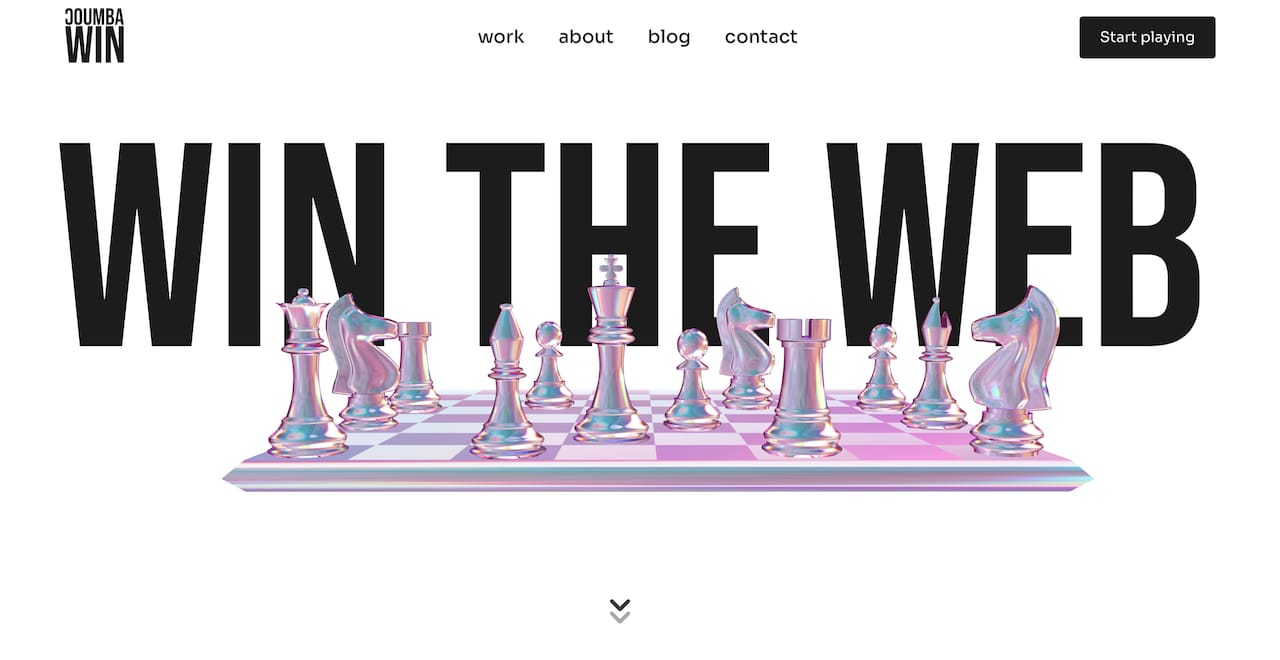
Coumba Win Design works directly with founders to create websites and brand systems that communicate trust at every touchpoint, from the first page load to the checkout confirmation. The Style Guide resource gives you a concrete foundation for visual consistency, covering typography, color, and component logic that keeps your brand looking intentional across every page. The reusable components library makes it easy to maintain that consistency as your site grows. If you’re gearing up for a pitch or a launch, the Demo Day Kit packages professional, trust-building design assets in 14 days. Reach out to start a conversation about what your site is currently communicating and what it should be.
FAQ
What makes a website look trustworthy to visitors?
Clear navigation, consistent branding, visible contact information, SSL security, and real testimonials are the core trust signals visitors look for. Clarity, transparency, and proof are the design principles that add up to credibility.
How does mobile design affect website trust?
Poor mobile UX increases bounce rates and signals a lack of care for the user experience. Since most visitors browse on smartphones, a site that breaks on mobile breaks trust immediately.
Should startups show they are small or early-stage on their website?
Yes. Honesty about your growth stage builds faster and stronger trust than trying to appear larger. Visitors connect with real stories and authentic teams.
How often should a small business update its website for trust?
A quarterly audit covering broken links, outdated content, and pricing accuracy is the minimum. Annual design reviews keep the site aligned with current UX standards and visitor expectations.
What is EEAT and why does it matter for website credibility?
EEAT stands for Experience, Expertise, Authoritativeness, and Trustworthiness. It is Google’s framework for evaluating content quality, and including author bios with credentials and clear company values directly improves both search visibility and visitor confidence.
Recommended